

You can discover actively exploited vulnerabilities in your SAP systems by using automated correlation tools that link system activity logs with identified vulnerability scans. This approach allows security teams to prioritize remediation efforts on weaknesses currently being targeted by threat actors rather than attempting to address every identified vulnerability.
Executive Summary
SAP environments present a massive attack surface, often containing hundreds of known vulnerabilities that are impossible to remediate manually due to resource constraints. Instead of attempting to close every attack vector, organizations must adopt a risk-based approach. By correlating real-time user and system activity logs with automated vulnerability scan results, security teams can pinpoint which vulnerabilities are currently being exploited. The Cybersecurity Extension for SAP (CES) automates this process, performing daily scans to detect over 4,000 vulnerabilities across SAP applications, databases, and operating systems. By identifying vulnerabilities that have active, successful exploit attempts, organizations can focus their remediation resources on high-risk, immediate threats, significantly improving their security posture without needing to patch every minor finding.
Key Takeaways
- Automated vulnerability scans in SAP often reveal hundreds of weaknesses, making total remediation impractical for most organizations.
- Prioritizing remediation requires correlating identified vulnerabilities with real-time user and system activity logs.
- The Cybersecurity Extension for SAP automates daily scans for over 4,000 vulnerabilities.
- Active exploitation of a vulnerability is a critical signal that should trigger immediate prioritization, regardless of the initial risk rating.
How does the Cybersecurity Extension for SAP work?
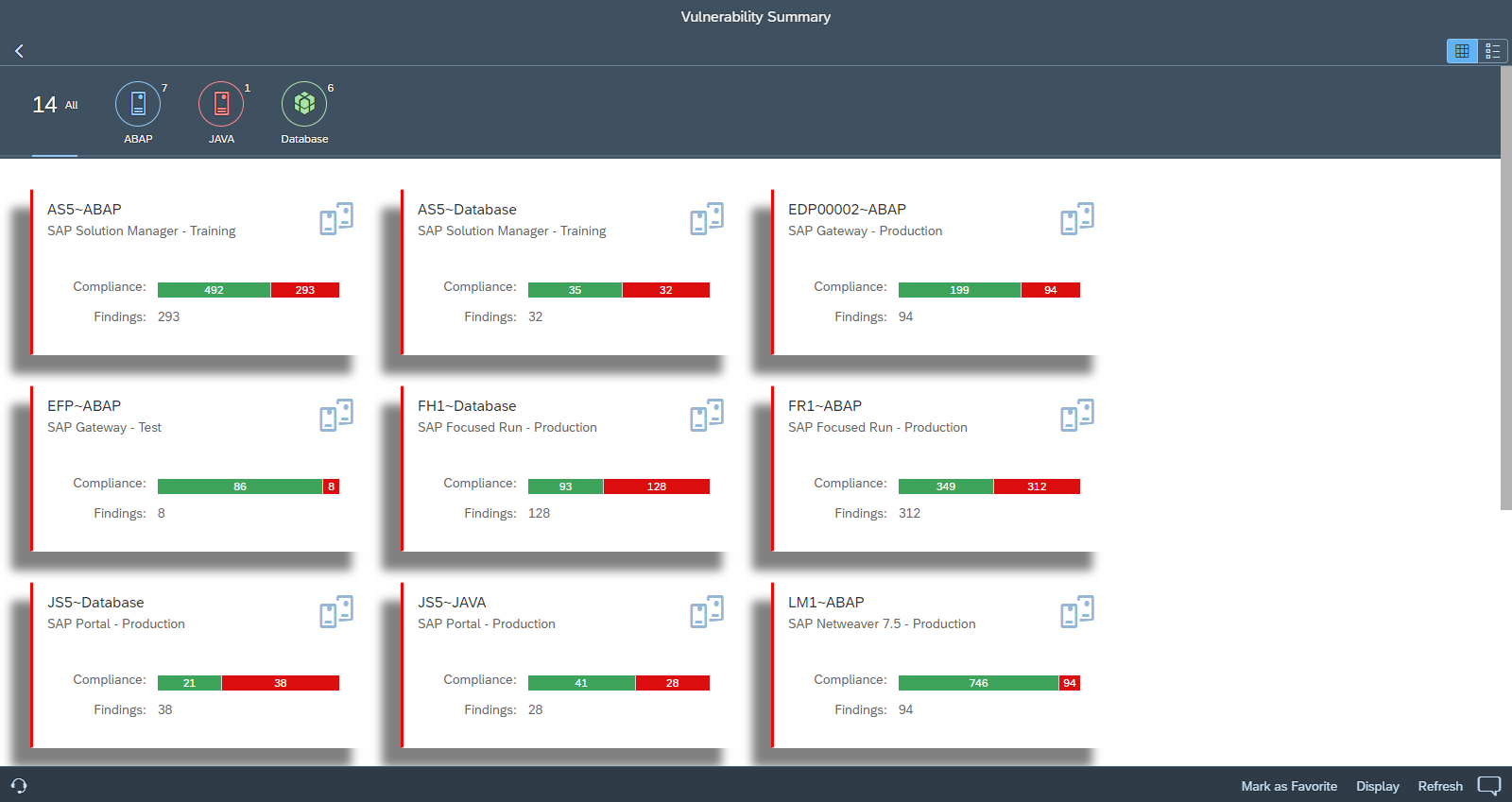
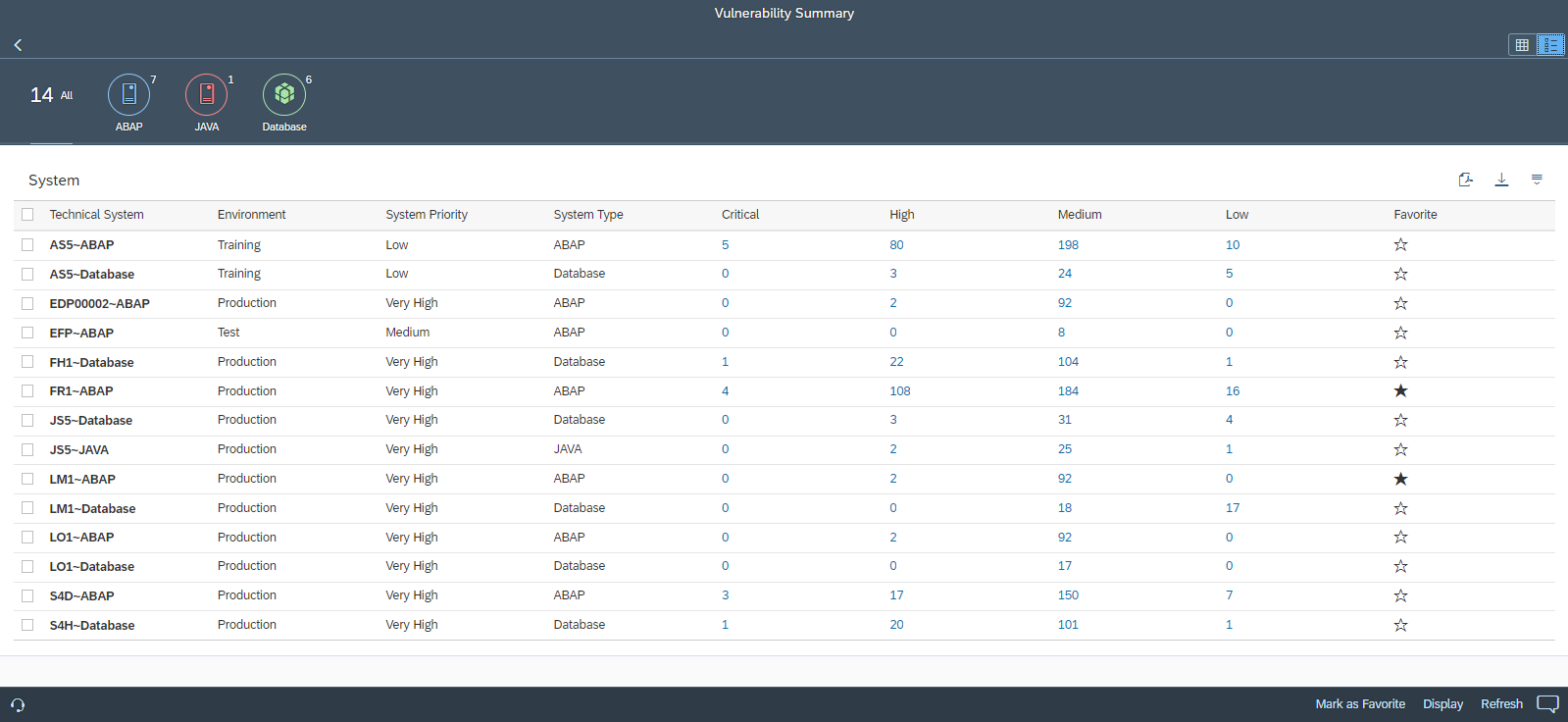
The Cybersecurity Extension for SAP functions as an addon for SAP Solution Manager and SAP Focused Run, with support for SAP Cloud ALM arriving in 2024. It performs daily automated scans to detect over 4,000 vulnerabilities in SAP applications and their supporting infrastructure. These results are managed through the Vulnerability Management application, which provides both a system card view and a dashboard view for quick assessment.
System Card View:
Dashboard View:
How do you drill down into vulnerability findings?
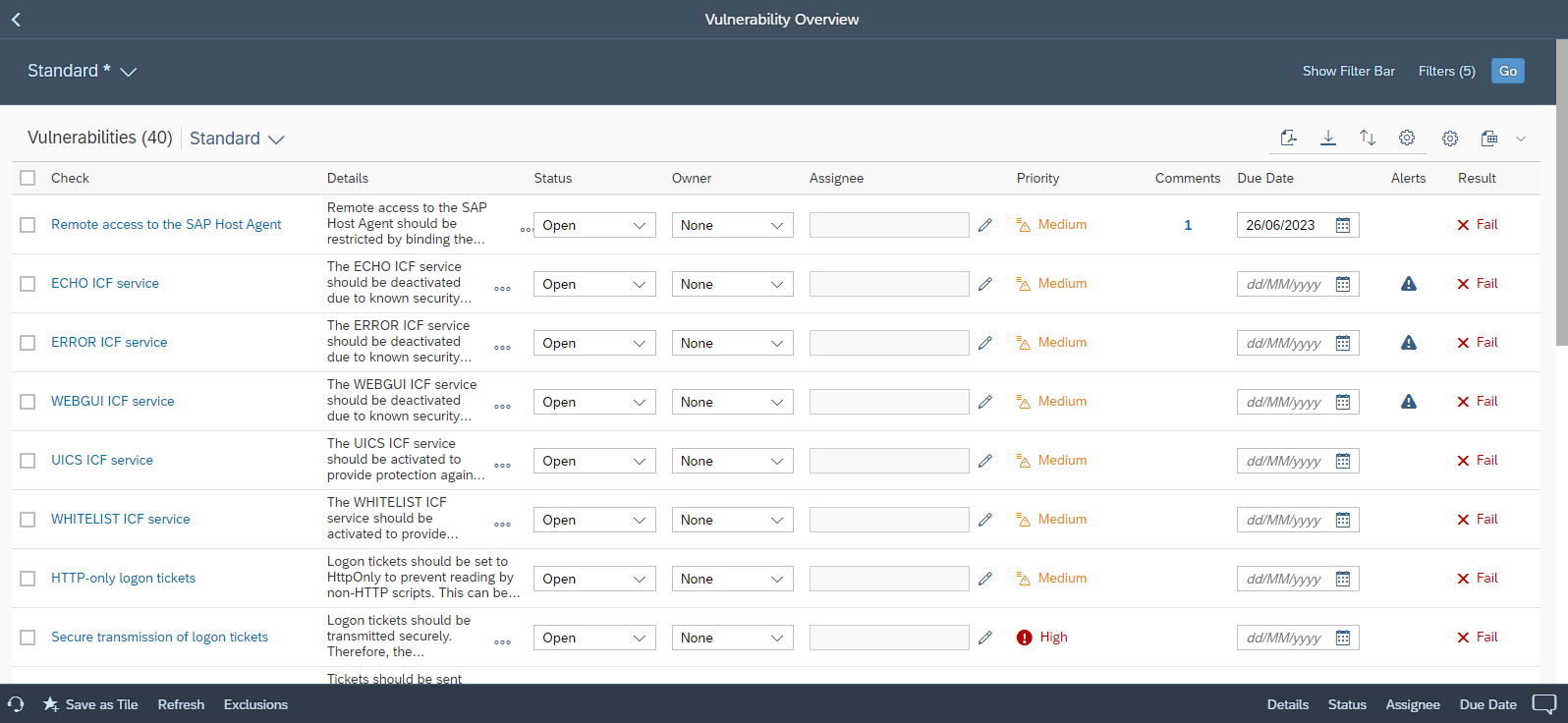
Users can select one or more systems from the summary dashboard to drill down into specific findings within the Overview section. This section displays all open vulnerabilities and allows users to filter and sort results by environment, rating, area, and other variables.
How are remediation plans managed?
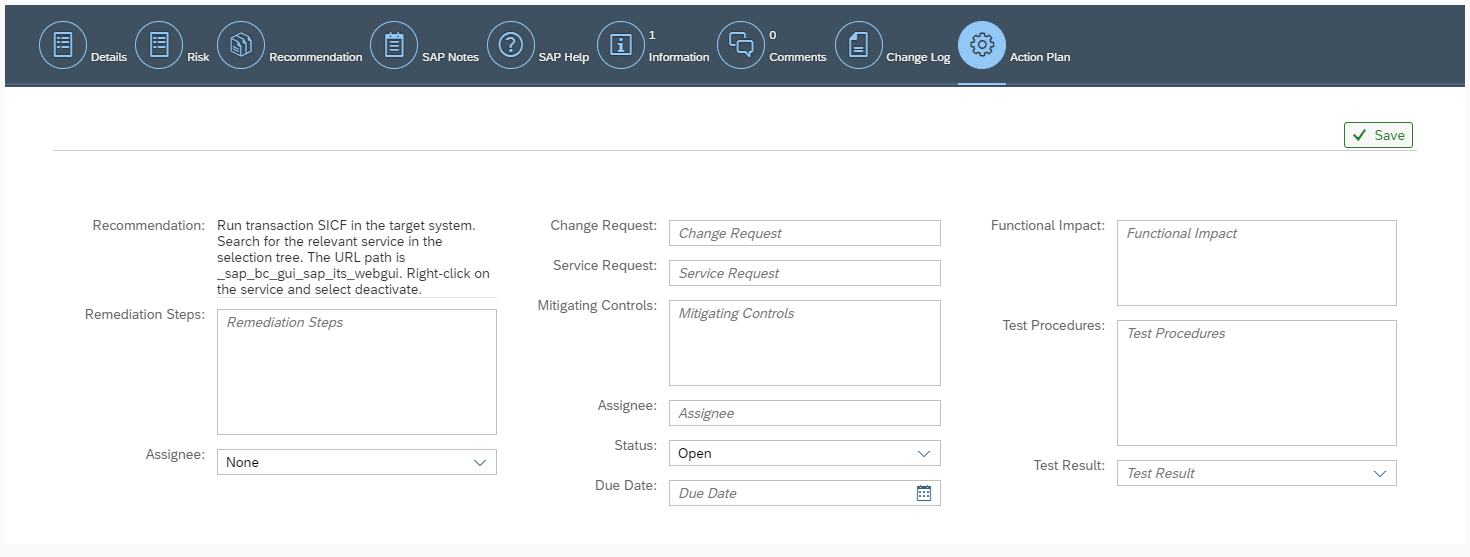
Responsibility for remediation is assigned directly within the Overview section, where owners and assignees are designated for each finding. Target dates for root cause removal can also be set, and detailed remediation plans are maintained in the Action Plan tab for each specific vulnerability.
How can you identify actively exploited vulnerabilities?
Actively exploited vulnerabilities are identified through continuous, automated correlation with event logs and alerts within the Cybersecurity Extension for SAP. Users can filter results to focus specifically on vulnerabilities that have active alerts and publish these as alarms to their Launchpads using the “Save as Tile” option.
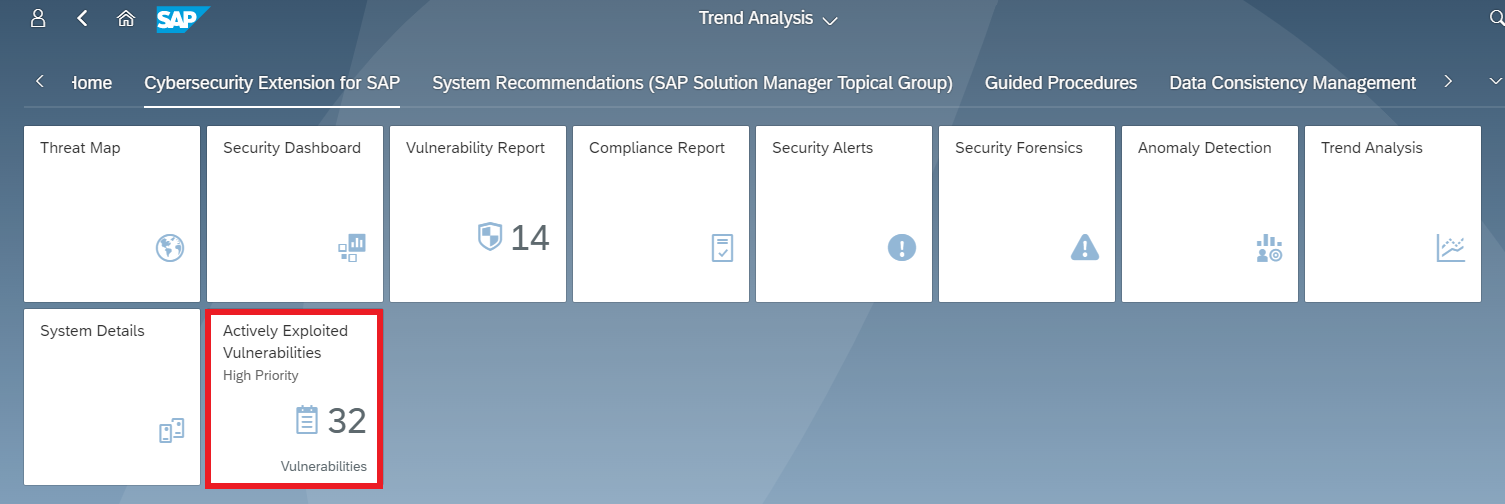
In the example below, a medium-risk vulnerability is prioritized because the system detected a successful call to a vulnerable ICF service, indicating active exploitation.

How do you analyze an active vulnerability alert?
You can analyze the details of an active exploit by clicking the alert icon associated with a vulnerability. This action redirects the user to the Security Alerts application in the Cybersecurity Extension for SAP, providing full context on the incident.

Frequently Asked Questions
What is the Cybersecurity Extension for SAP?
The Cybersecurity Extension for SAP (CES) is an addon for SAP Solution Manager and SAP Focused Run designed to automate vulnerability scanning and security monitoring for SAP environments, including databases and operating systems.
Can I prioritize vulnerabilities based on actual risk?
Yes. By correlating vulnerability scan results with real-time event logs and alerts, CES allows you to identify which vulnerabilities are being actively exploited in your environment, helping you prioritize remediation effectively.
What versions of the Cybersecurity Extension for SAP support active exploit reporting?
The automated discovery and reporting of actively exploited vulnerabilities is supported in version 5.0 and higher of the Cybersecurity Extension for SAP.