

Securing SAP RISE solutions requires adhering to over 120 specific requirements across 12 security areas defined by SAP. Organizations can achieve this compliance by performing automated gap assessments using the Cybersecurity Extension for SAP (CES), which evaluates system settings against mandatory hardening standards to identify and remediate security vulnerabilities.
SAP RISE customers, including those using S/4HANA, operate on standard system builds that require proactive hardening. SAP outlines these mandatory security parameters in Note 3250501, which serves as the baseline for compliance. Because these systems are provisioned with default settings, customers are responsible for ensuring that security-relevant profile parameters, user access, and system configurations meet enterprise security standards. Managing these settings manually is complex, necessitating automated tools to track compliance against SAP’s evolving security requirements. The Cybersecurity Extension for SAP automates this process, providing a structured approach to gap analysis and remediation within SAP environments.
Key Takeaways
- SAP RISE solutions require adherence to over 120 specific security requirements across 12 distinct areas.
- Mandatory hardening requirements for ABAP systems are outlined in SAP Note 3250501.
- Automated gap assessments help identify and remediate vulnerabilities in RISE landscapes.
- The Cybersecurity Extension for SAP enables automated reporting, scheduling, and remediation planning.
What are the SAP RISE security requirements?
SAP RISE security compliance involves over 120 specific requirements across 12 security areas that customers must implement to ensure their systems are hardened. These requirements, detailed in SAP Note 3250501, cover a broad spectrum of critical system settings, including:
- System Hardening: Managing security-relevant profile parameters and deactivating critical ICF services.
- User and Access Control: Securing standard users and restricting access to sensitive password hashes.
- Infrastructure Security: Hardening RFC gateways and message servers, and applying transport layer security.
- Lifecycle Management: Deleting unused clients and managing system and client change options.
How do you perform an automated gap assessment for SAP RISE?
Automated gap assessments are performed using the Cybersecurity Extension for SAP (CES) by selecting the SAP RISE framework from the launchpad. The process follows a straightforward execution path:
- Framework Selection: Choose “SAP RISE” within the CES framework selection screen.
- System Targeting: Select the specific system from your SAP RISE landscape.
- Execution: Click “Execute” to run the automated compliance check.
- Review: Analyze the summary results and overall compliance score.
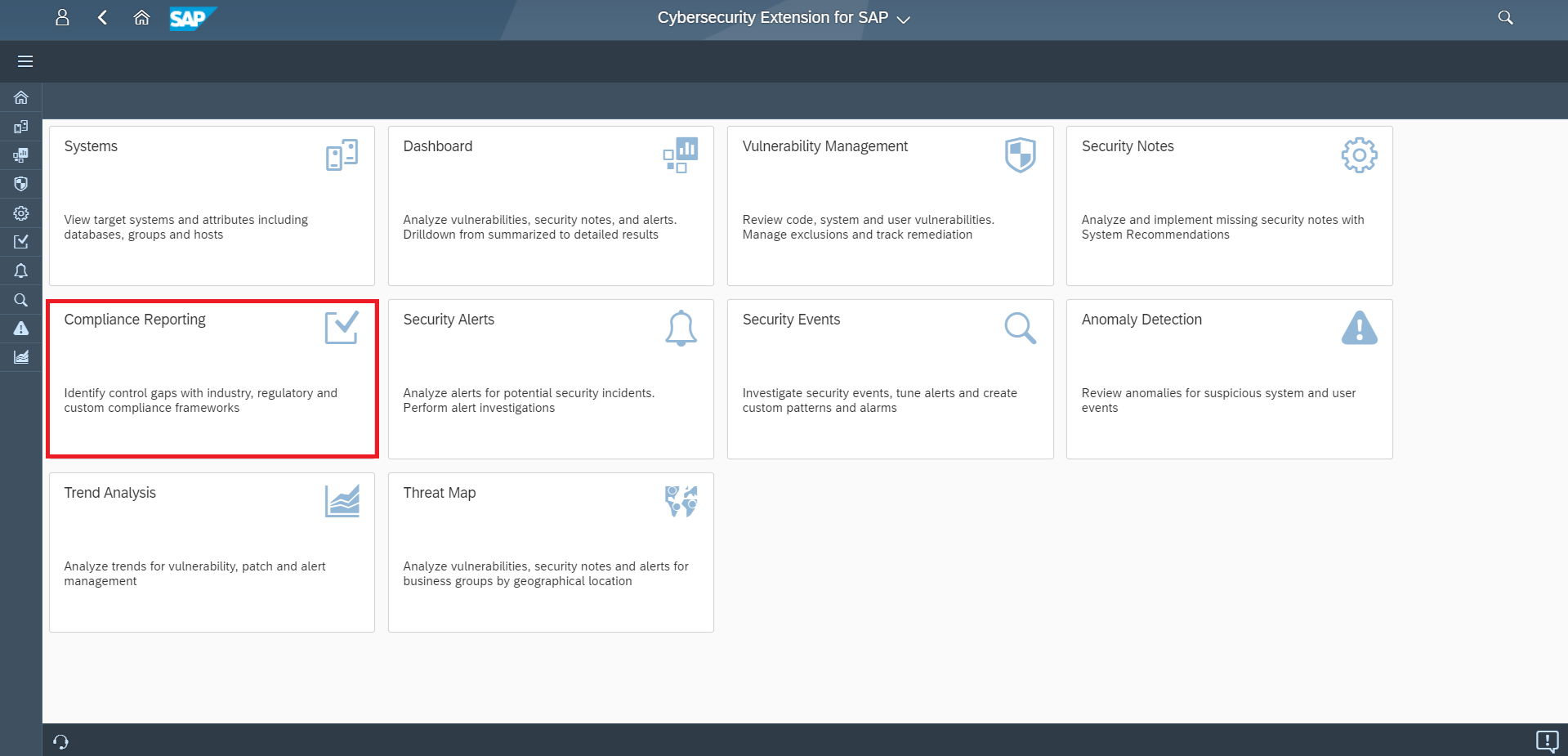
The framework selection screen allows users to initiate compliance checks specifically for SAP RISE.
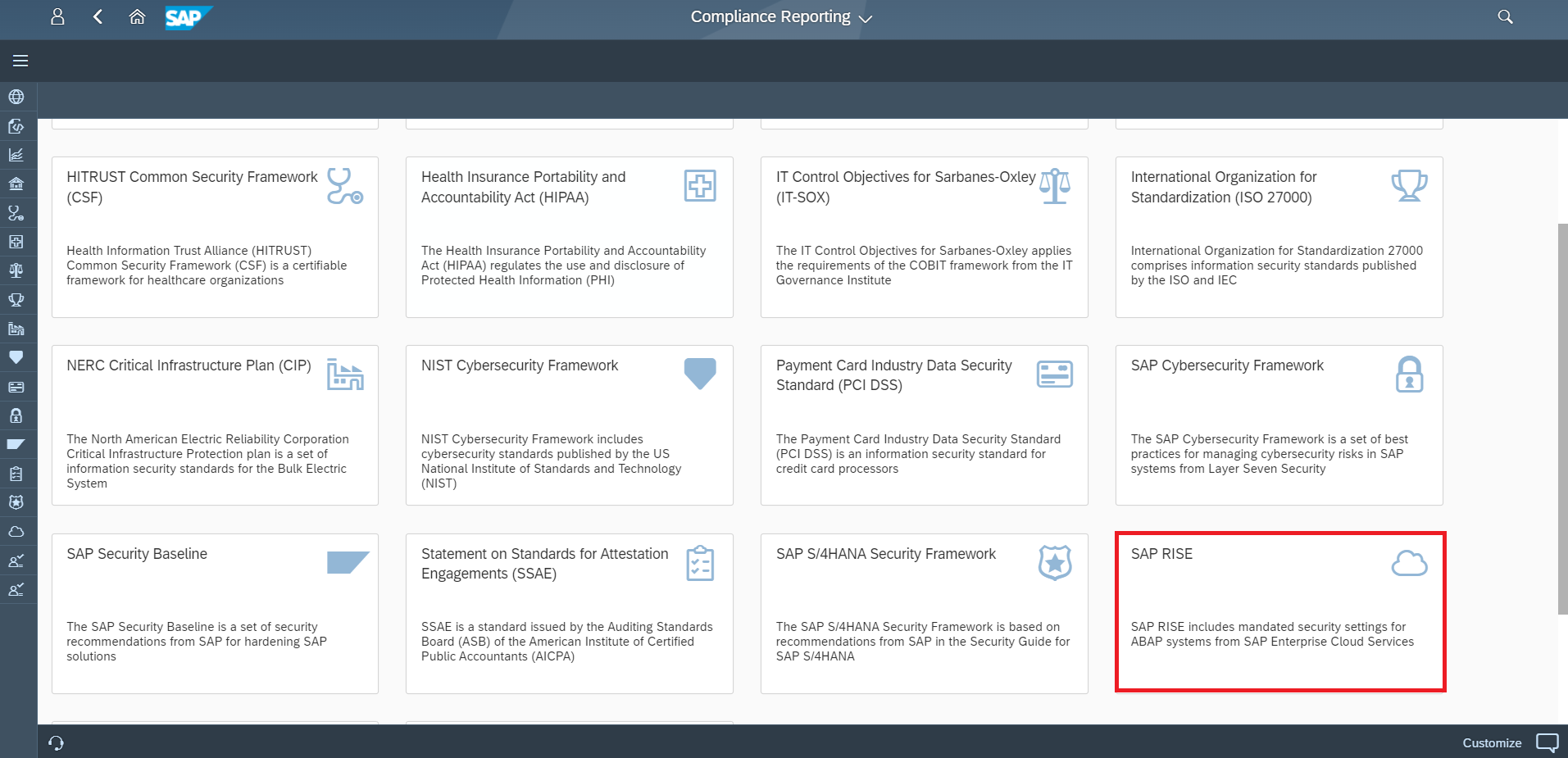
After selecting the framework, users target a specific system within their RISE landscape.

Executing the assessment provides a comprehensive overview of the system’s compliance status.
How do you manage remediation of compliance issues?
Remediation is managed by drilling down into specific requirements to view detailed findings and creating actionable plans for resolution. Within the Cybersecurity Extension for SAP, users can click the > icon for any finding to access further technical information. To focus on critical issues, report filters can be applied to suppress compliant areas and isolate only the identified compliance failures.
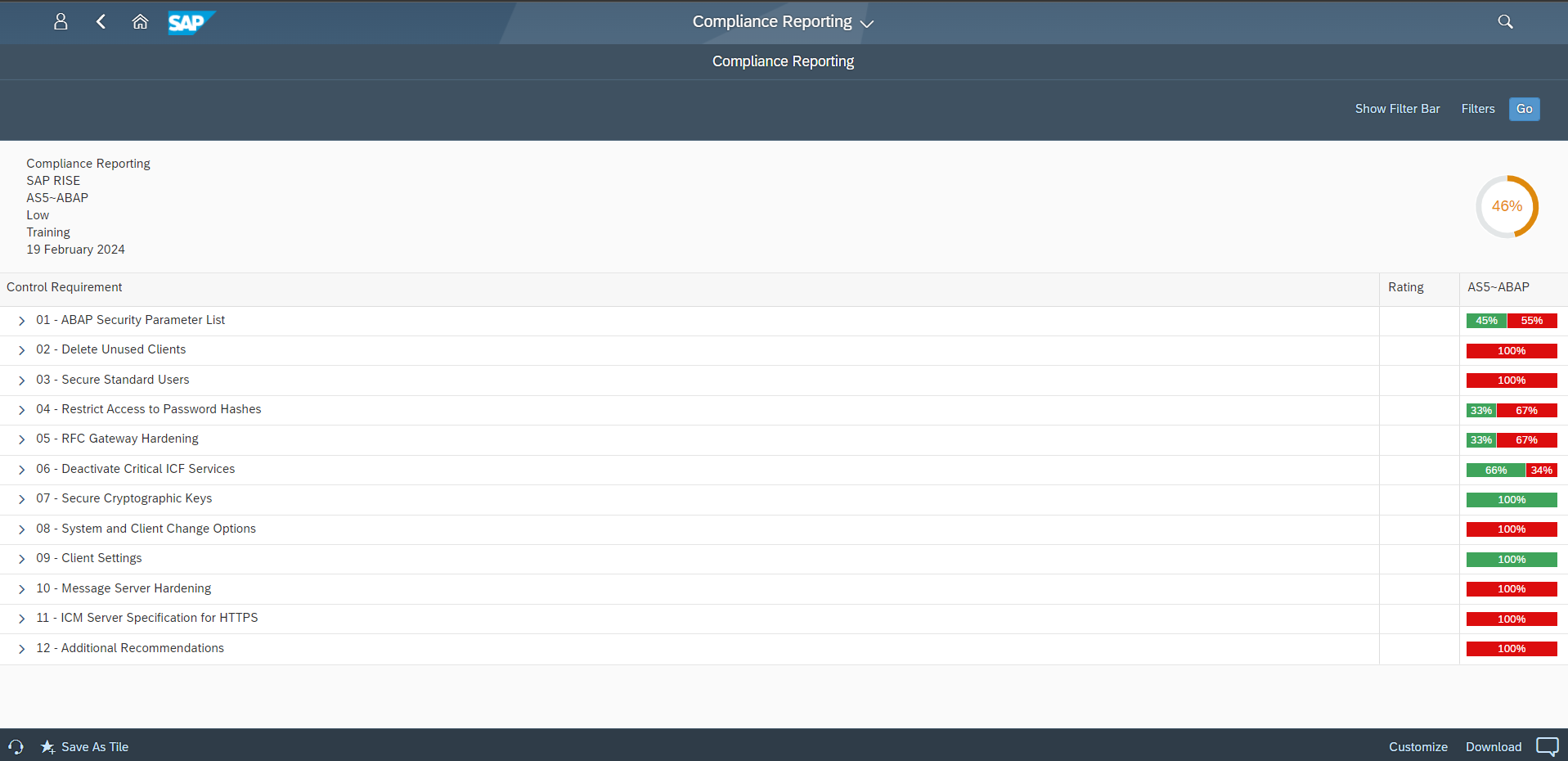
Compliance results are summarized, and an overall score is calculated for the system.
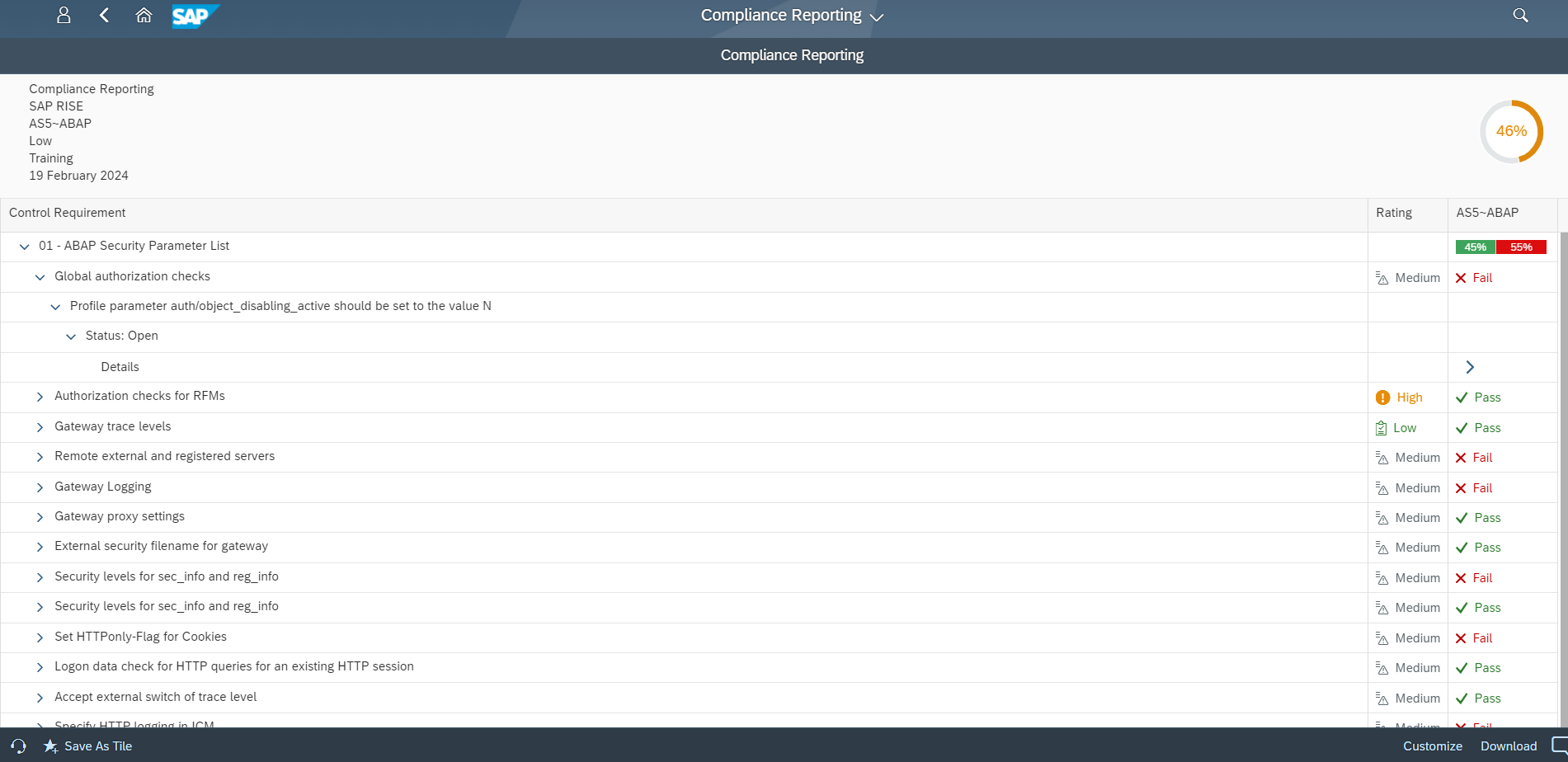
Users can drill down into each requirement to investigate detailed findings.

Report filters help isolate failures by suppressing compliant areas.
How can you track and report on security compliance?
Security compliance can be tracked by creating Fiori launchpad shortcuts for fast access to results or by scheduling automated report distributions. Shortcuts can be published as custom tiles in work groups, while automated reporting allows the system to send PDF or CSV compliance reports to designated recipients via email at regular intervals.
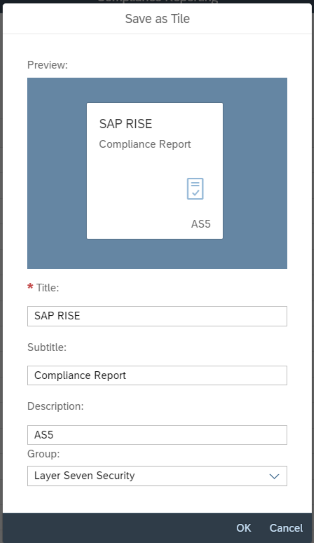
Shortcuts can be created and published to the Fiori launchpad for immediate access.
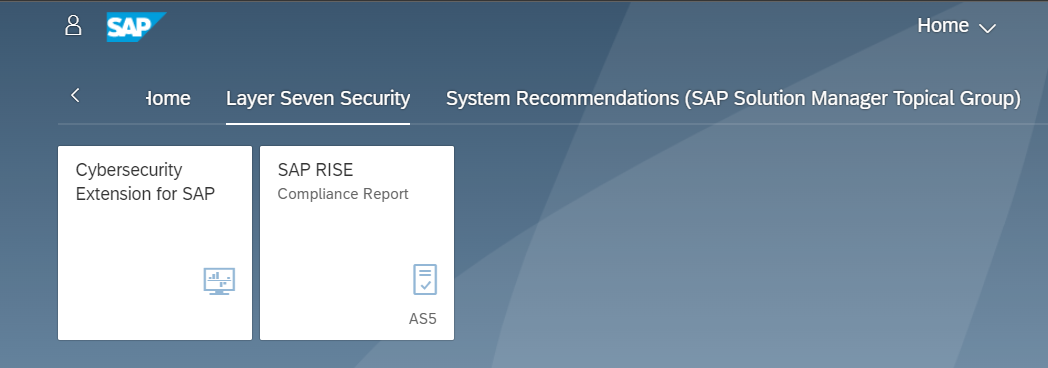
Compliance reports can be published as custom tiles to new or existing work groups.
Frequently Asked Questions
What is the baseline for SAP RISE security compliance?
The baseline is defined by SAP Note 3250501, which details mandatory security parameters and hardening requirements for ABAP systems within SAP Enterprise Cloud Services.
Does the Cybersecurity Extension for SAP support other systems?
Yes, the Cybersecurity Extension for SAP is an SAP-certified addon for SAP Solution Manager and SAP Focused Run. An addon version for other SAP NetWeaver AS ABAP systems, such as SAP GRC, is expected in Q4.
Can compliance reports be automated?
Yes, compliance reports can be scheduled to run at regular intervals. The system automatically distributes these reports in PDF or CSV format to specified recipients via email.