

SAP Adaptive Server Enterprise (ASE) is a widely-used relational database server for SAP solutions that requires specific security measures to prevent exploitation. While SAP HANA receives significant attention, ASE security is often overlooked, leaving it a vulnerable target for threat actors. Implementing automated vulnerability management, security patching, and real-time threat detection is essential for securing these systems.
Executive Summary
As SAP shifts toward HANA, many organizations are migrating to SAP landscapes that increasingly rely on both SAP HANA and SAP ASE. Unlike HANA, ASE security is frequently neglected by customers, creating a potential entry point for attackers. Maintenance and support for ASE are expected to continue beyond 2030, making it a long-term fixture in many enterprise environments. To protect the database layer, organizations must treat ASE with the same rigor as other critical infrastructure. This involves hardening configurations—such as managing default accounts, enforcing strict authentication policies, and enabling column-level encryption—while automating security oversight. By leveraging tools like the Cybersecurity Extension for SAP, teams can integrate ASE security monitoring directly into SAP Solution Manager (SolMan) and SAP Focused Run (FRUN). This approach allows for automated vulnerability detection, real-time audit log analysis, and streamlined incident response, ensuring that the database layer remains resilient against targeted exploits.
Key Takeaways
- ASE security is often overlooked compared to SAP HANA, making it a prime target for threat actors.
- Standard support for ASE is expected to continue beyond 2030, necessitating long-term security strategies.
- Hardening ASE requires disabling default accounts, enforcing password policies, and restricting access to critical roles.
- Automated tools can detect vulnerabilities in authentication, encryption, and audit settings in real-time.
- Integrating ASE security with SAP Solution Manager allows for automated patch identification and false-positive filtering.
What are the security best practices for SAP ASE?
Securing SAP ASE involves a multi-layered approach to authentication, access control, and data protection.
- Authentication: Use password-based authentication with strict policies for complexity and expiration, or implement external authentication via Kerberos, LDAP, or PAM. Always secure network transmission with SSL using FIPS 140-2 validated modules.
- Role Management: Restrict access to the
sso(security officer) andsa(system administration) roles to authorized personnel only. - Account Hardening: Lock default accounts like
probe,sybmail,jstask, andmon_userif they are not required. Thesaaccount should be locked after initial configuration, and theguestaccount should be avoided. - Service Minimization: Disable vulnerable services such as
xpcmdshellandxpsendmailto reduce the attack surface. - Data Protection: Enable column and table-level encryption using the AES algorithm with 256-bit keys to protect data at rest.
How do you monitor and audit SAP ASE?
Auditing is disabled by default in ASE and must be manually activated to track critical security events. Once enabled, audit options should log configuration changes, login failures, role changes, and the execution of sensitive stored procedures.
| Audit Focus | Recommended Action |
|---|---|
| User Activity | Log login failures and changes to user passwords. |
| System Changes | Audit configuration changes and role modifications. |
| Data Security | Enable auditing for data binds and changes to encryption keys. |
| File Operations | Audit importing and exporting of data to/from external files. |
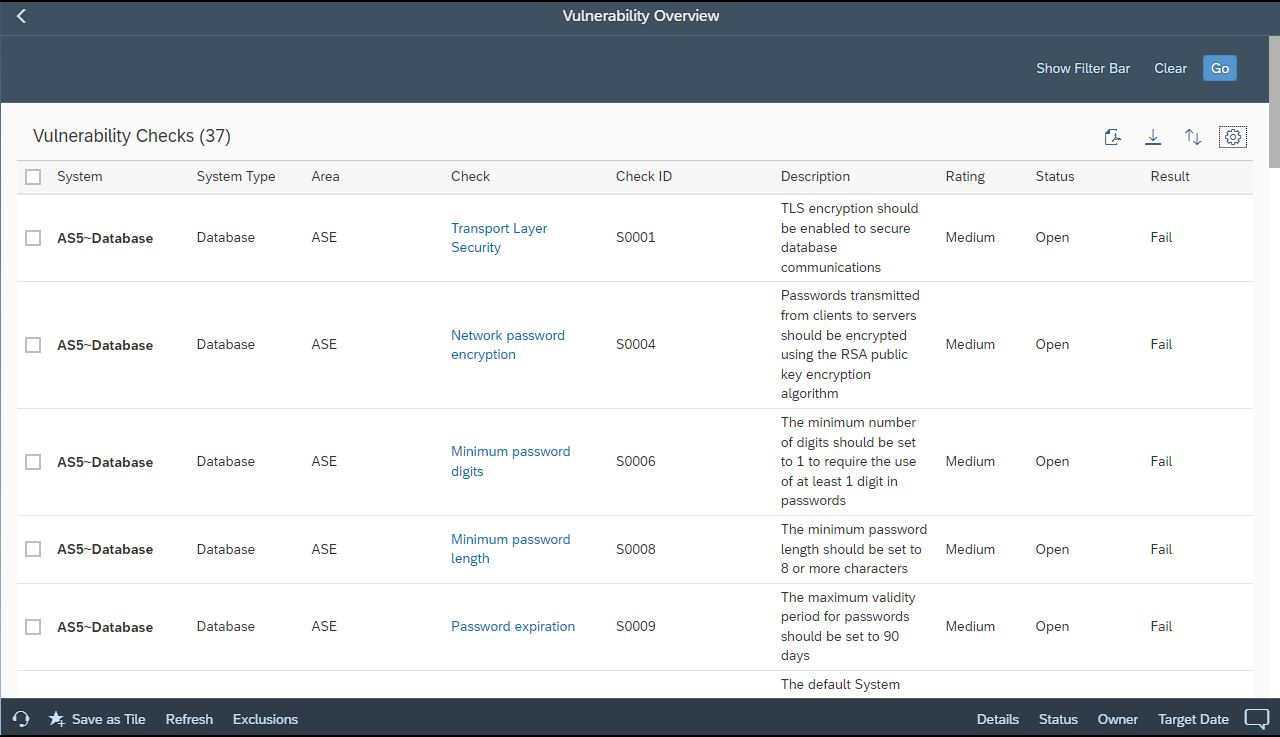
How can you automate ASE vulnerability management?
The Cybersecurity Extension for SAP automates the detection of security vulnerabilities by leveraging the database connectivity of SAP Solution Manager and SAP Focused Run.
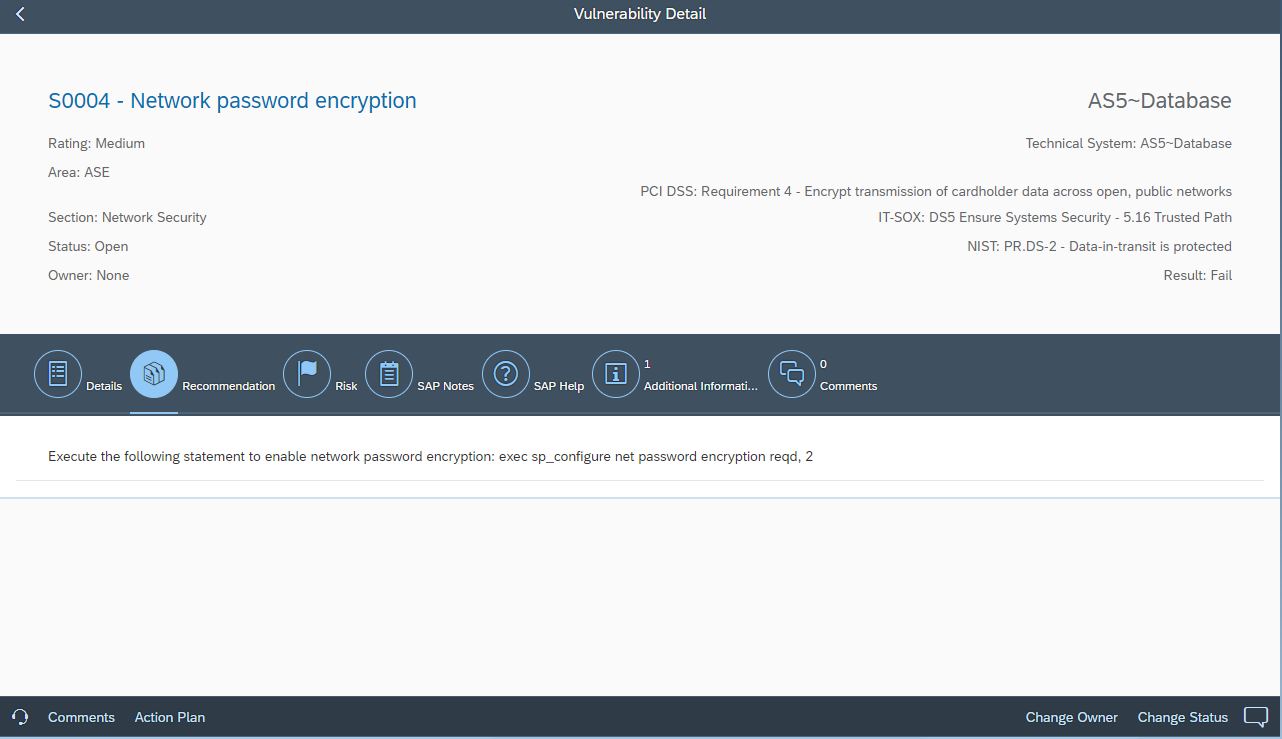
This extension identifies risks across several areas:
- Settings for external authentication and password policies.
- Users with critical roles and the status of default accounts.
- Transport layer security and database encryption status.
- Deactivation of vulnerable database services.
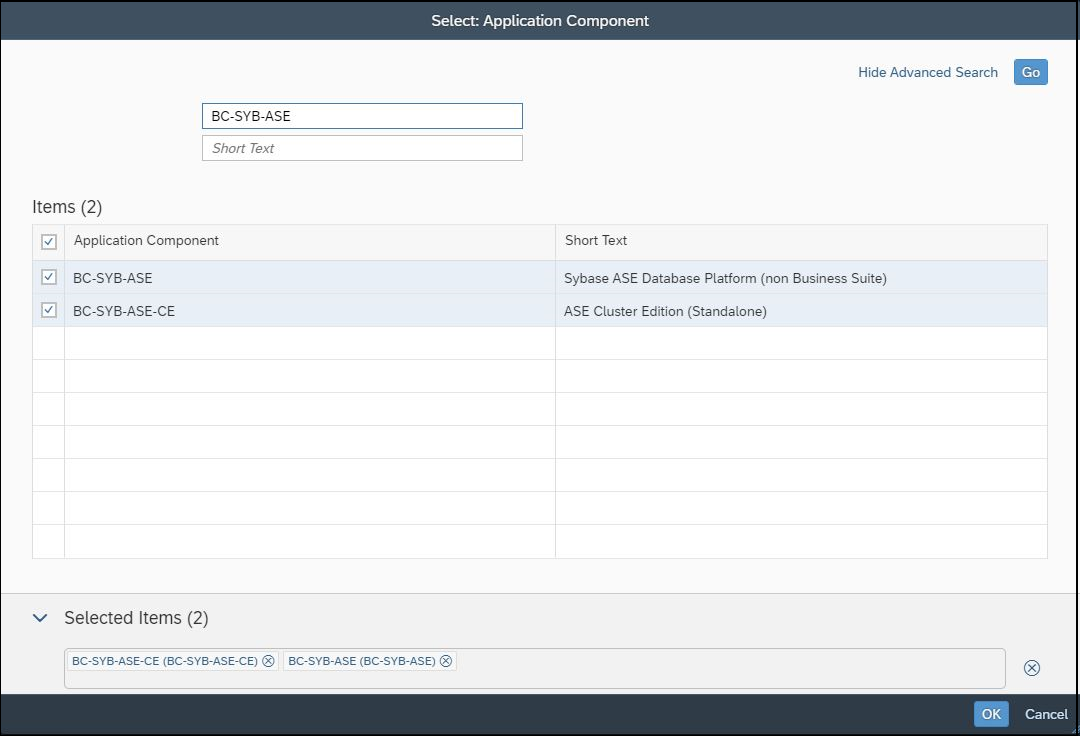
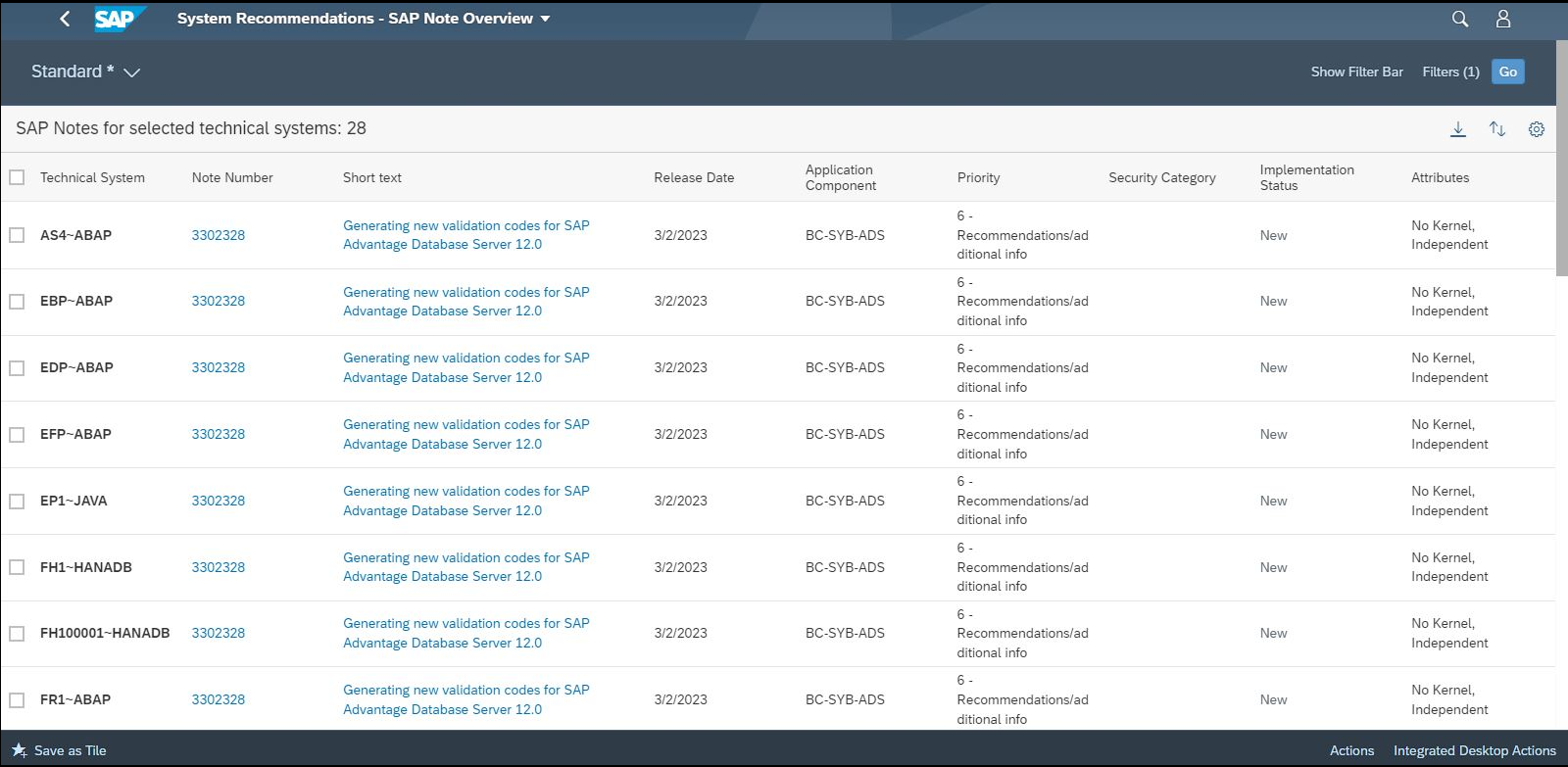
Furthermore, the extension integrates with System Recommendations to automatically identify and filter security notes for ASE components, reducing manual effort and eliminating false positives.
How does real-time threat detection work for ASE?
The extension monitors ASE audit logs in real-time to alert security teams to potential breaches.
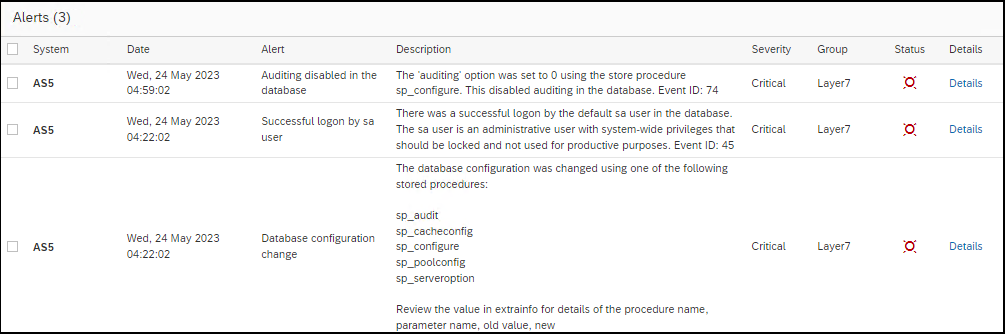
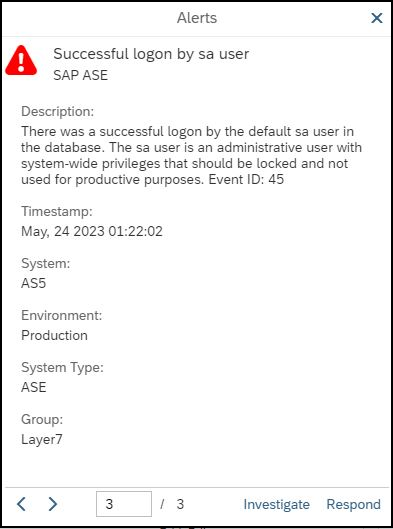

Detected activities include:
- Changes to roles, permissions, or audit settings.
- Failed logins and the use of locked or default accounts.
- Successful calls to sensitive stored procedures.
- Installation of Java programs or deployment of web services.
- Remote procedure calls to or from external servers.
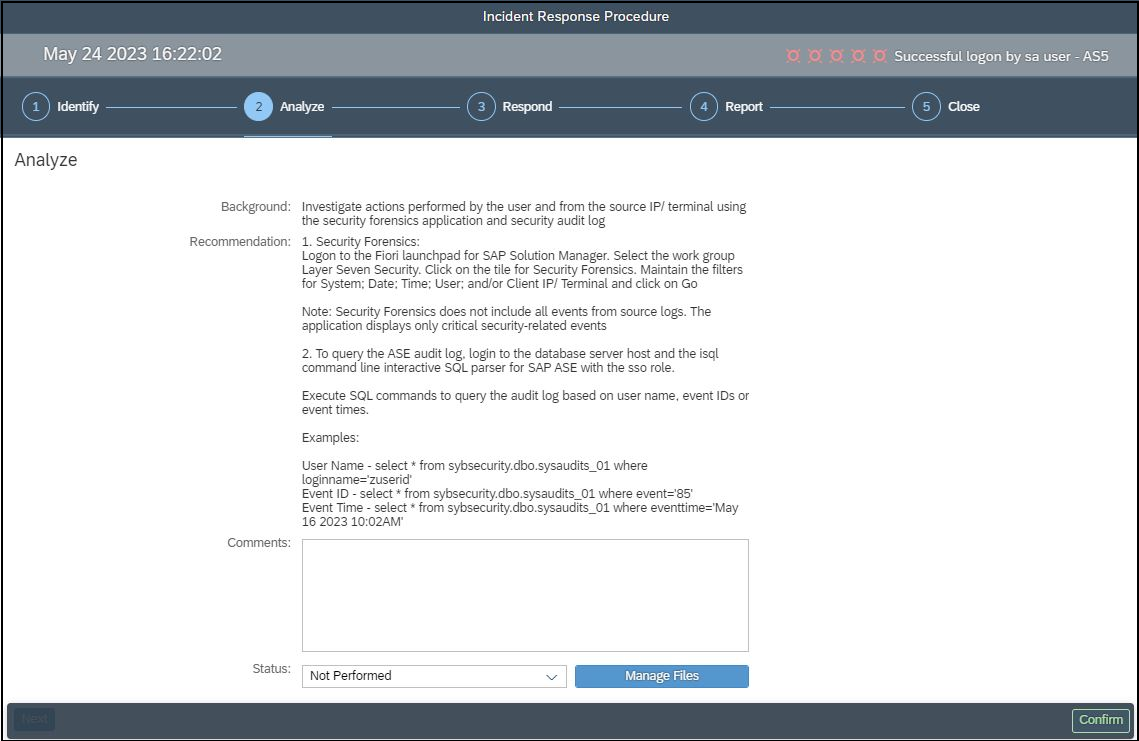
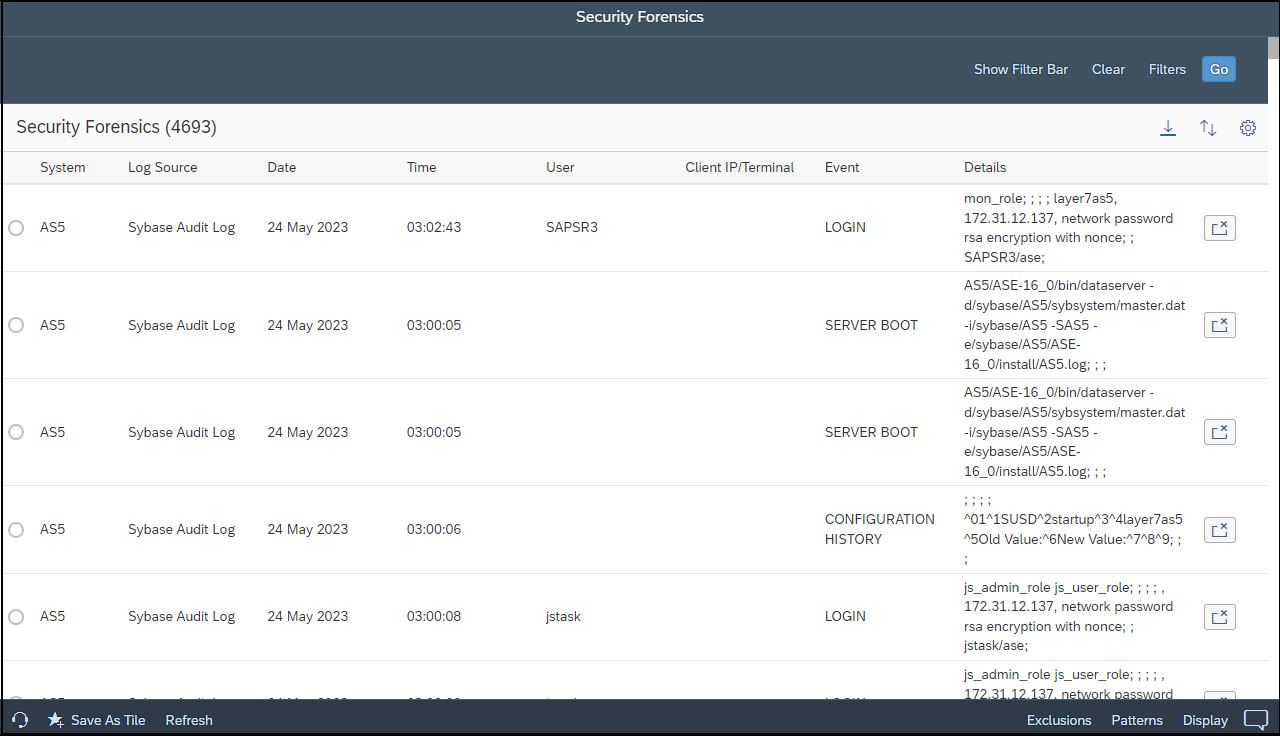
Audit records are replicated to the extension to support forensic analysis and protect against log corruption.
To learn more, contact Layer Seven Security.