

The SAP Security Baseline provides a standardized benchmark for hardening SAP ABAP, HANA, and Java systems against known vulnerabilities. By utilizing automated tools like the Cybersecurity Extension for SAP Solution Manager, organizations can conduct continuous gap assessments, eliminate manual audit processes, and generate on-demand compliance reports to ensure their SAP environment meets current security requirements.
What is the SAP Security Baseline?
The SAP Security Baseline is a comprehensive framework designed to secure SAP applications by establishing benchmarks for system hardening, authentication, authorization, and logging. It draws upon official SAP security notes, guides, and whitepapers to provide a robust defense against modern threats. SAP periodically updates this framework to address emerging vulnerabilities; the latest version is referenced in SAP Note 2253549.
How does automated compliance reporting work?
Automated compliance reporting is performed via the Cybersecurity Extension for SAP Solution Manager, which identifies configuration and user-related security gaps. This extension replaces periodic manual audits with daily automated background jobs, allowing security teams to monitor their compliance posture in real-time. Results are centralized within the Compliance Report application, which is accessible directly from the Fiori launchpad.
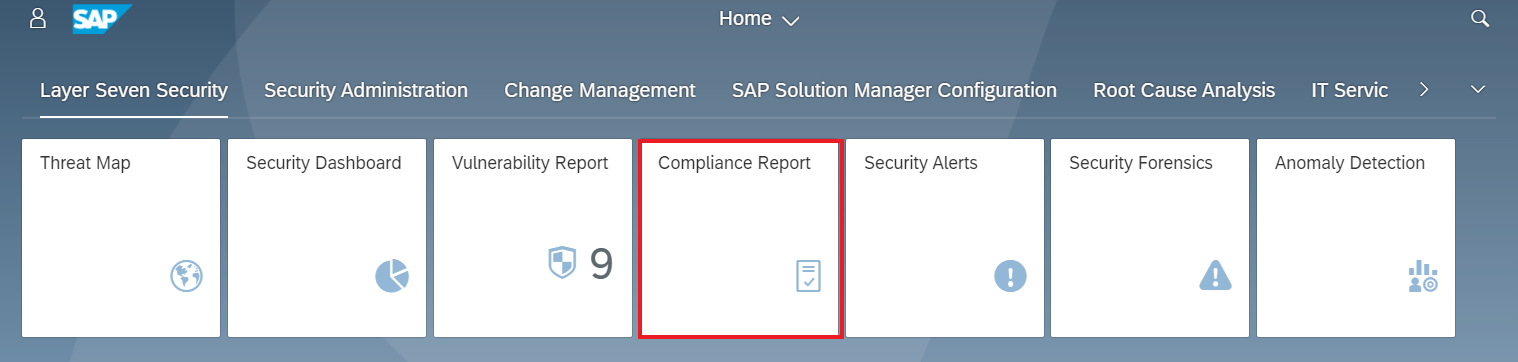
How do you generate and analyze compliance reports?
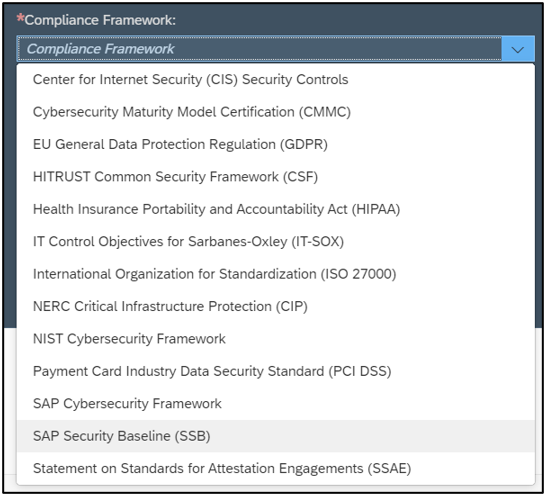
Generating a report begins by selecting the SAP Security Baseline template from the list of supported frameworks within the Compliance Report application.
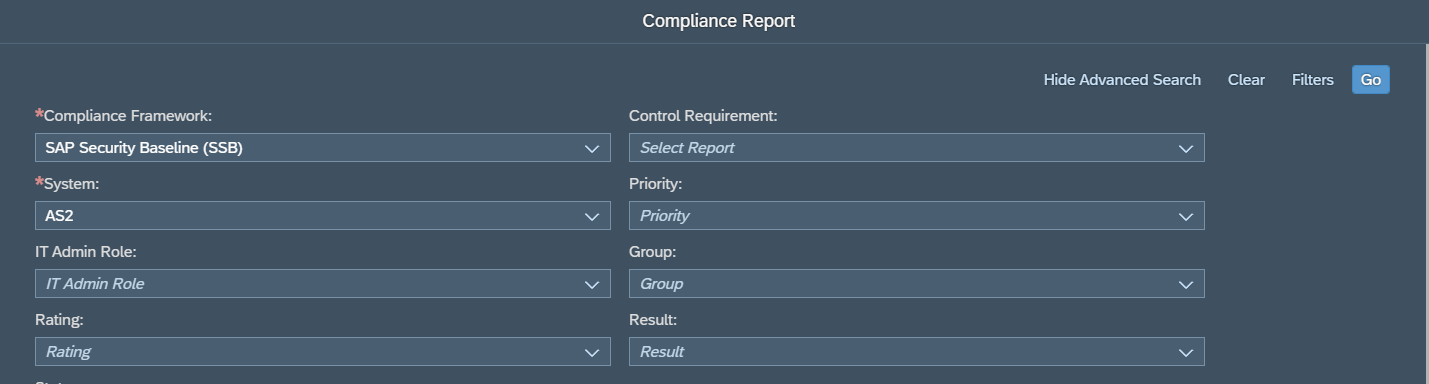
Users can refine their analysis by applying optional filters, such as environment, system priority, risk rating, or compliance result. Once the framework and systems are defined, selecting “Go” triggers the report generation.
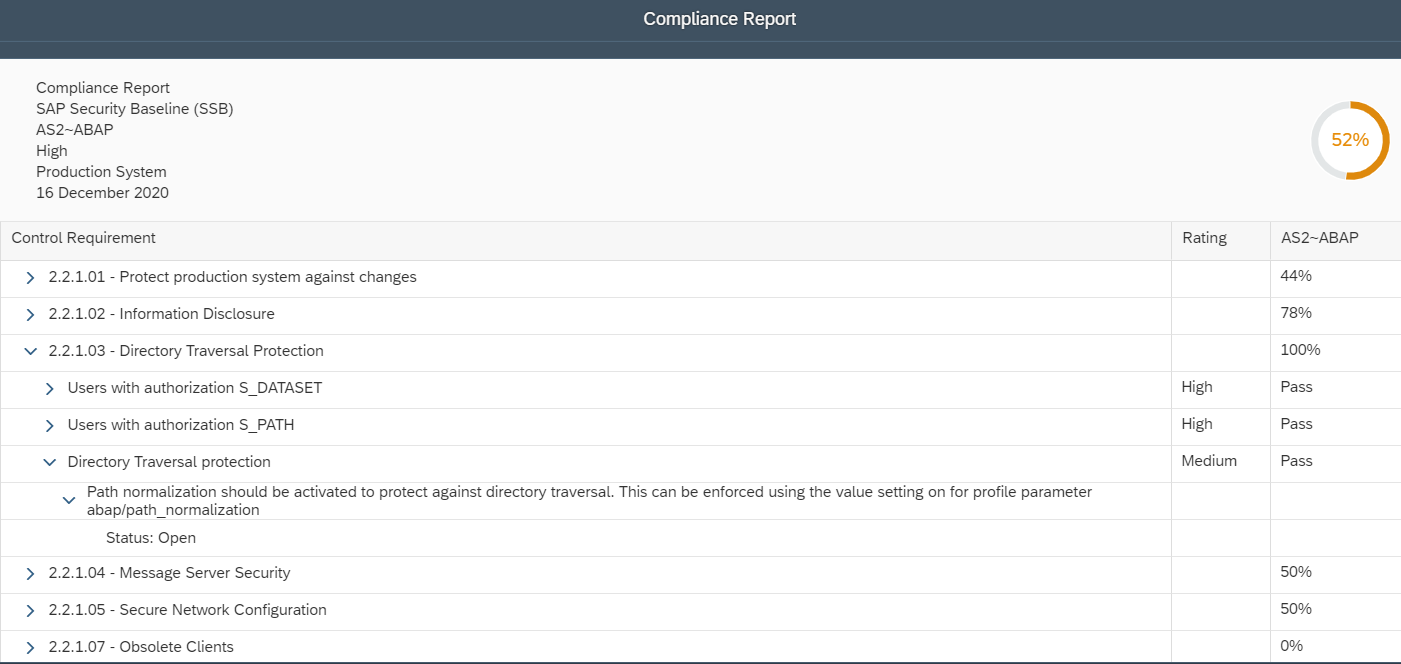
The report header displays the overall compliance level for the selected system, while the main body provides a detailed breakdown of each requirement.
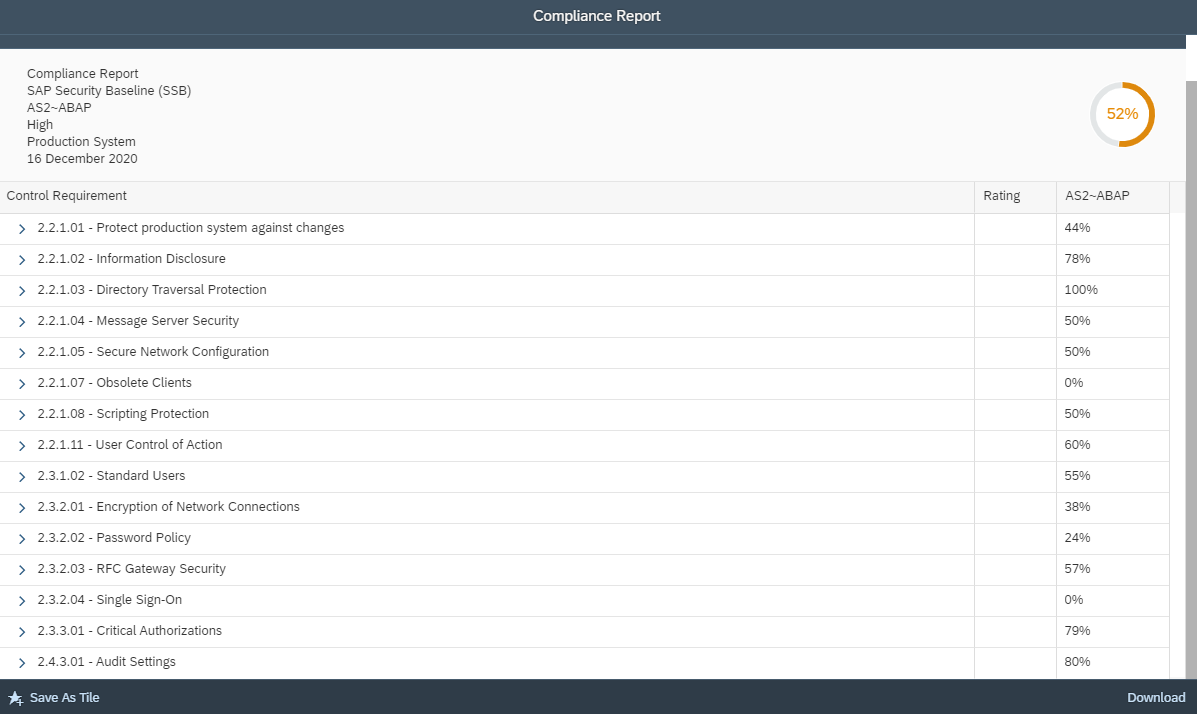
Users can drill down into each requirement to review the results for specific controls. Control ratings and descriptions are included in the report to support analysis.
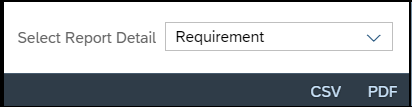
Reports can be exported to CSV or PDF. The Report Detail option specifies whether results are exported at the Requirement, Control, or Description level.
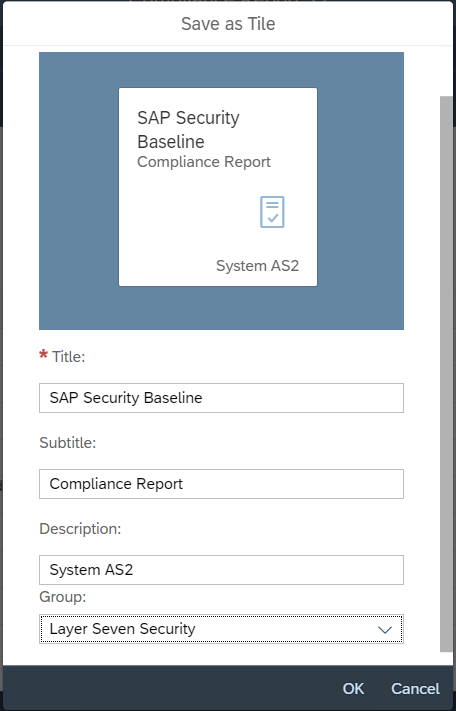
Users can also save shortcuts for prefiltered reports to the Fiori launchpad.
Comparison of Reporting Options
| Feature | Description |
|---|---|
| Framework Selection | Choose from supported templates like the SAP Security Baseline. |
| Filtering | Filter by environment, priority, risk rating, or compliance status. |
| Export Formats | Export data to CSV or PDF files. |
| Export Detail | Choose between Requirement, Control, or Description level exports. |
| Shortcut Saving | Save prefiltered reports directly to the Fiori launchpad. |
FAQ: SAP Security Baseline Compliance
What systems does the SAP Security Baseline cover?
The baseline provides a framework for safeguarding SAP ABAP, HANA, and Java systems against known vulnerabilities and threats.
Can I export compliance reports for external audits?
Yes, reports can be exported to CSV or PDF formats. Users can specify the level of detail—Requirement, Control, or Description—to suit different audit or analysis needs.
How often are compliance gaps checked?
The Cybersecurity Extension for SAP Solution Manager identifies control gaps automatically via daily background jobs, ensuring that compliance data remains up-to-date.