

SAP System Recommendations (SysRec) in Solution Manager is a vital tool for lifecycle management, yet analysis shows that approximately 30 percent of security notes reported are false positives. Because these irrelevant notes are often flagged due to system synchronization errors, organizations spend significant time manually filtering results, which delays critical security patching.
What is the impact of false positives in SAP System Recommendations?
SysRec is designed to calculate relevant security notes by connecting to SAP Support and cross-referencing software components in the Landscape Managed Database (LMDB). While it integrates with tools like Change Request Management (ChaRM) and the Business Process Change Analyzer (BPCA), the high rate of false positives creates a significant operational burden. When application components are not actually installed but still appear in the report, security teams must manually review and remove these notes. This time-consuming process diverts resources and can lead to dangerous delays in implementing patches for genuine security vulnerabilities.
Why does SysRec generate false positives?
The root causes of false positives in SysRec typically stem from discrepancies between the System Landscape Directory (SLD) and the LMDB:
- Incomplete Registration: Systems may not be fully or correctly registered in the SLD.
- Synchronization Issues: Data sync errors between the SLD and LMDB prevent accurate software component tracking.
- Runtime Errors: Job or connection failures during the SysRec calculation process can produce inaccurate results.
While resynchronizing the LMDB and monitoring jobs can help, these maintenance tasks rarely eliminate all false positives.
How can you improve the quality of security note recommendations?
The Cybersecurity Extension for SAP (CES) provides a solution by validating whether the application components required for a security note are actually installed in your SAP systems.
Benefits of using CES for System Recommendations
| Feature | Description |
|---|---|
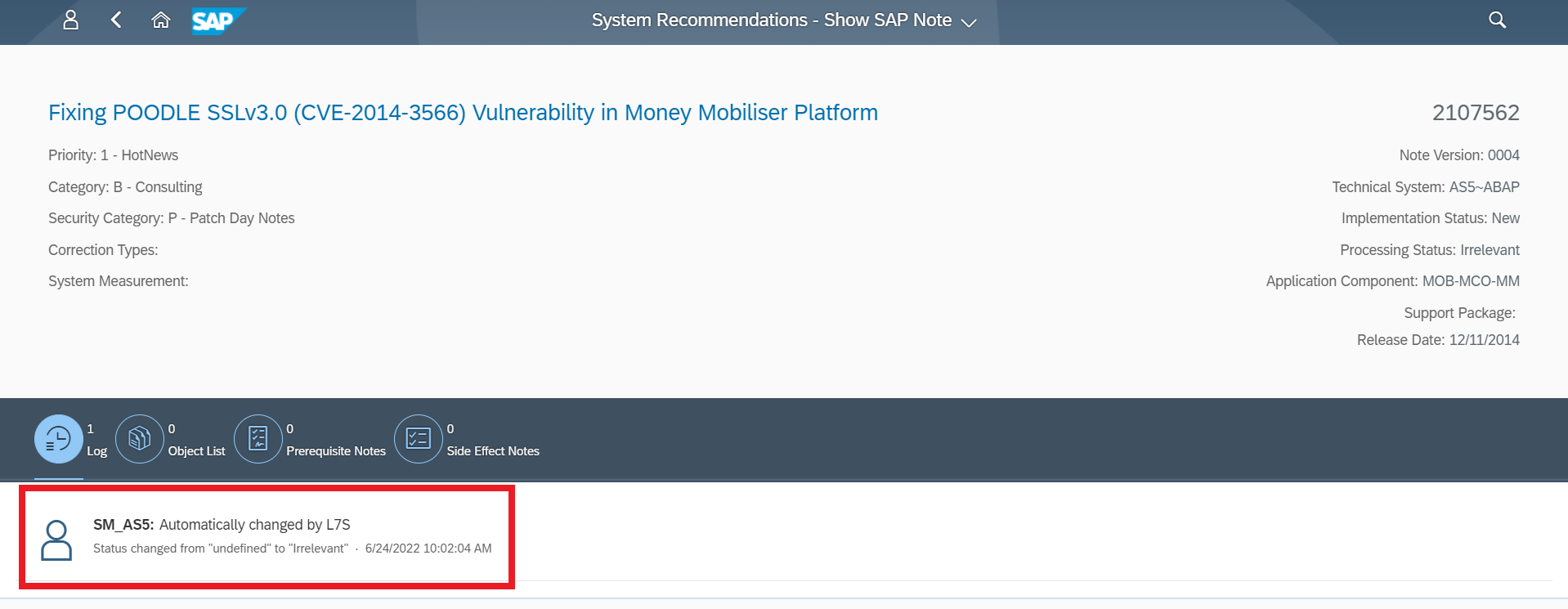
| False Positive Removal | Automatically identifies and marks irrelevant notes for uninstalled components. |
| Quality Filtering | Allows users to remove irrelevant notes using custom filters. |
| Risk Enrichment | Adds CVE, CVSS, and Vector data to notes for better prioritization. |
| Reliability | Improves the overall quality and accuracy of security reporting. |

Frequently Asked Questions
Why does SAP System Recommendations report irrelevant security notes?
False positives occur primarily because of synchronization issues between the System Landscape Directory (SLD) and the Landscape Managed Database (LMDB), or due to incomplete system registration. These errors lead SysRec to believe components are present when they are not.
How does the Cybersecurity Extension for SAP (CES) handle false positives?
CES validates the actual installation status of application components against the requirements of each security note. If the component is not installed, CES marks the note as ‘Irrelevant,’ allowing administrators to filter them out of their reports.
Does CES provide more than just filtering for SysRec?
Yes, CES enriches the data provided by SysRec. It adds specific security context, including CVE, CVSS, and Vector information for each note, enabling security teams to prioritize patches based on actual risk and impact rather than just software relevance.